Smart Label Pro
A flexible multi-content label for up to ten element properties, custom texts, rules and symbols.
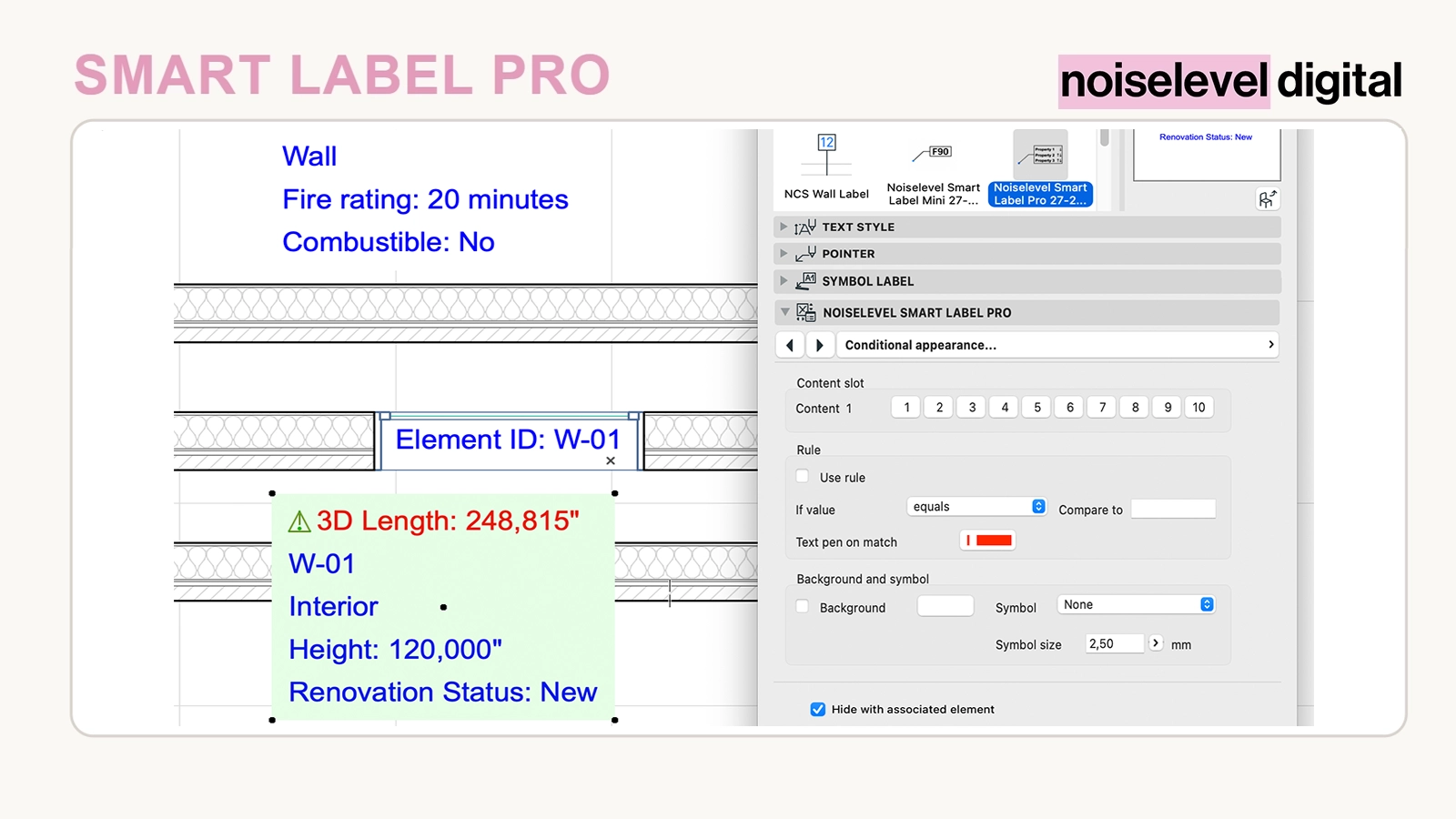
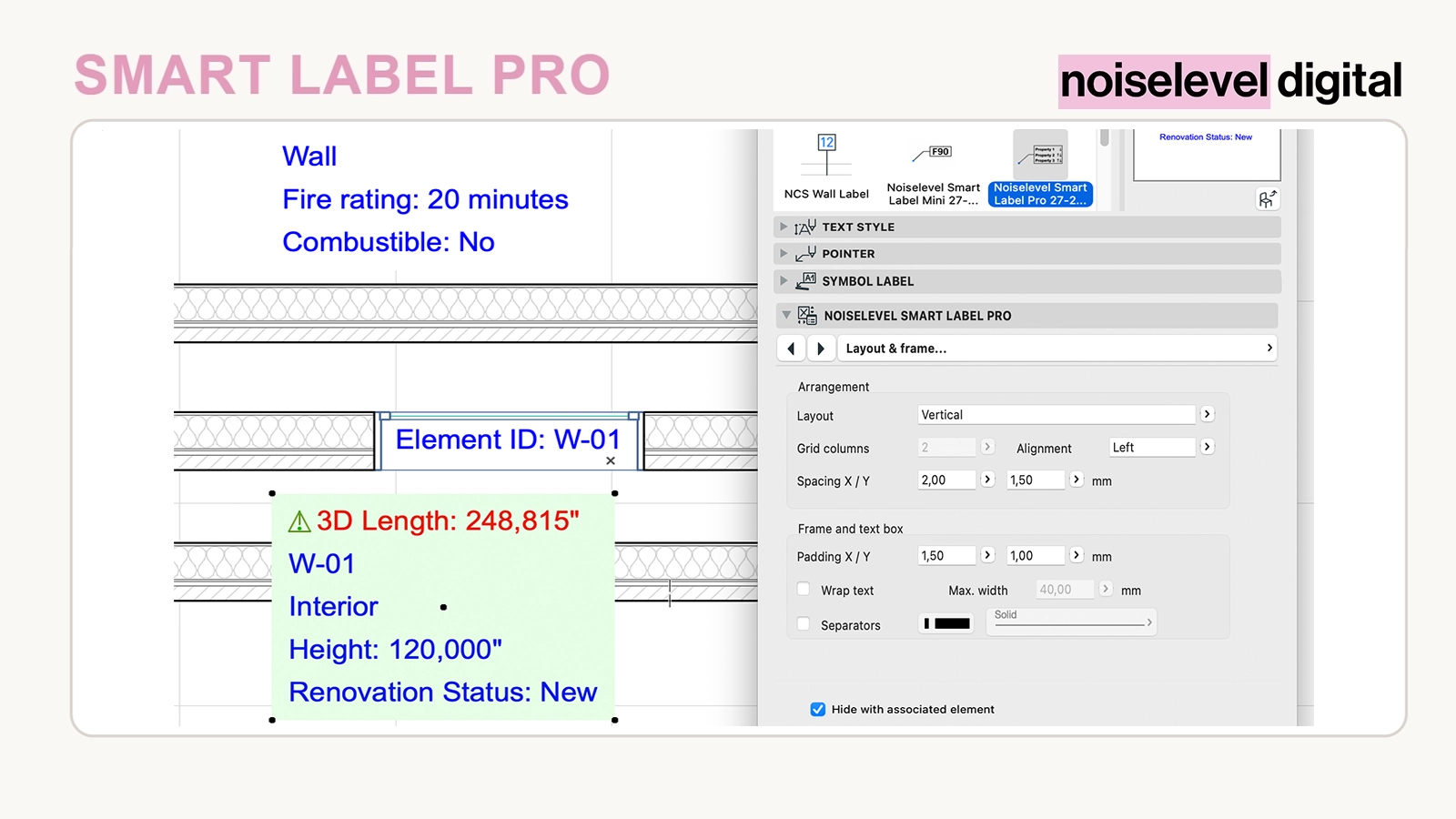
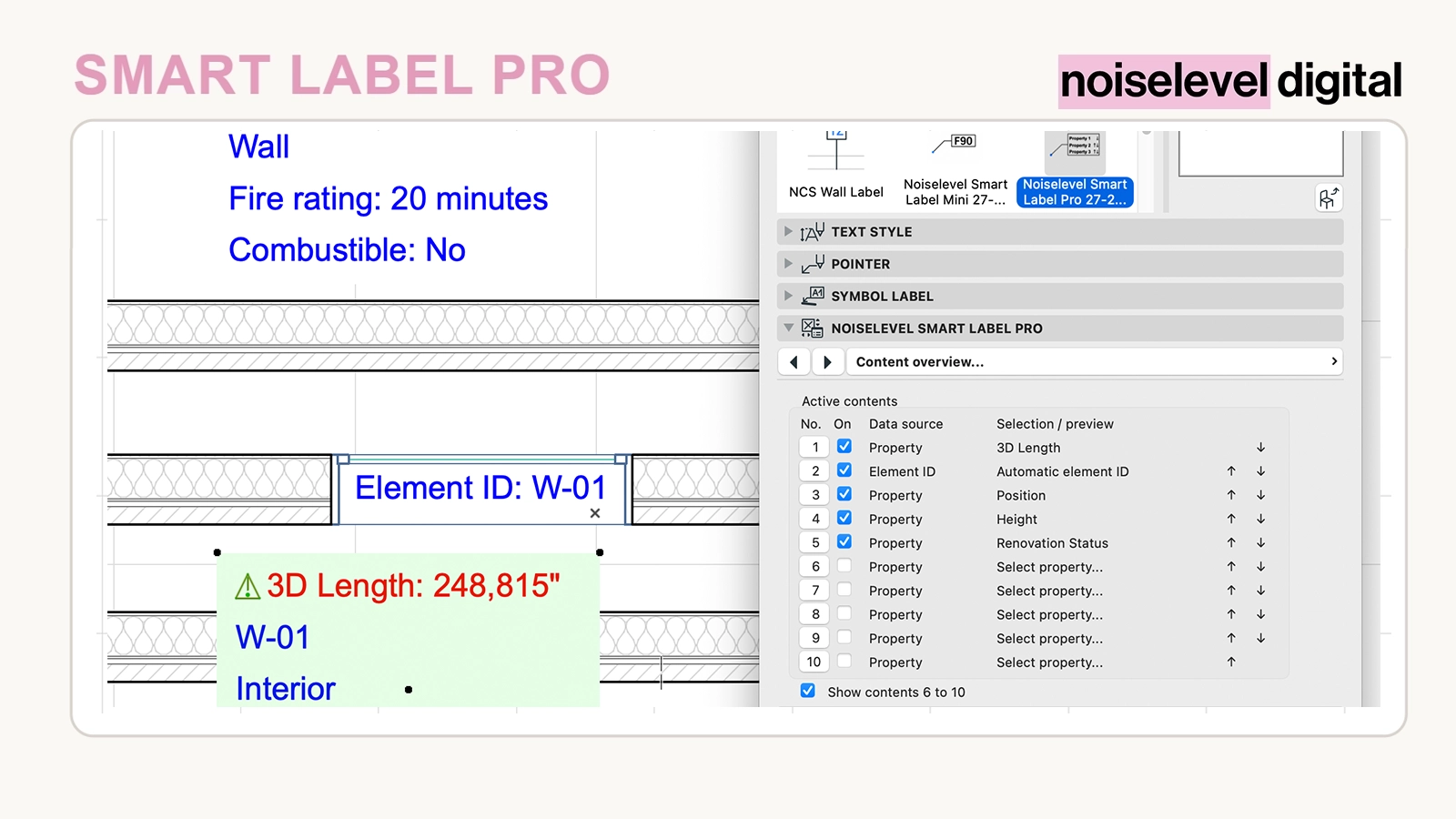
Multiple items in one label
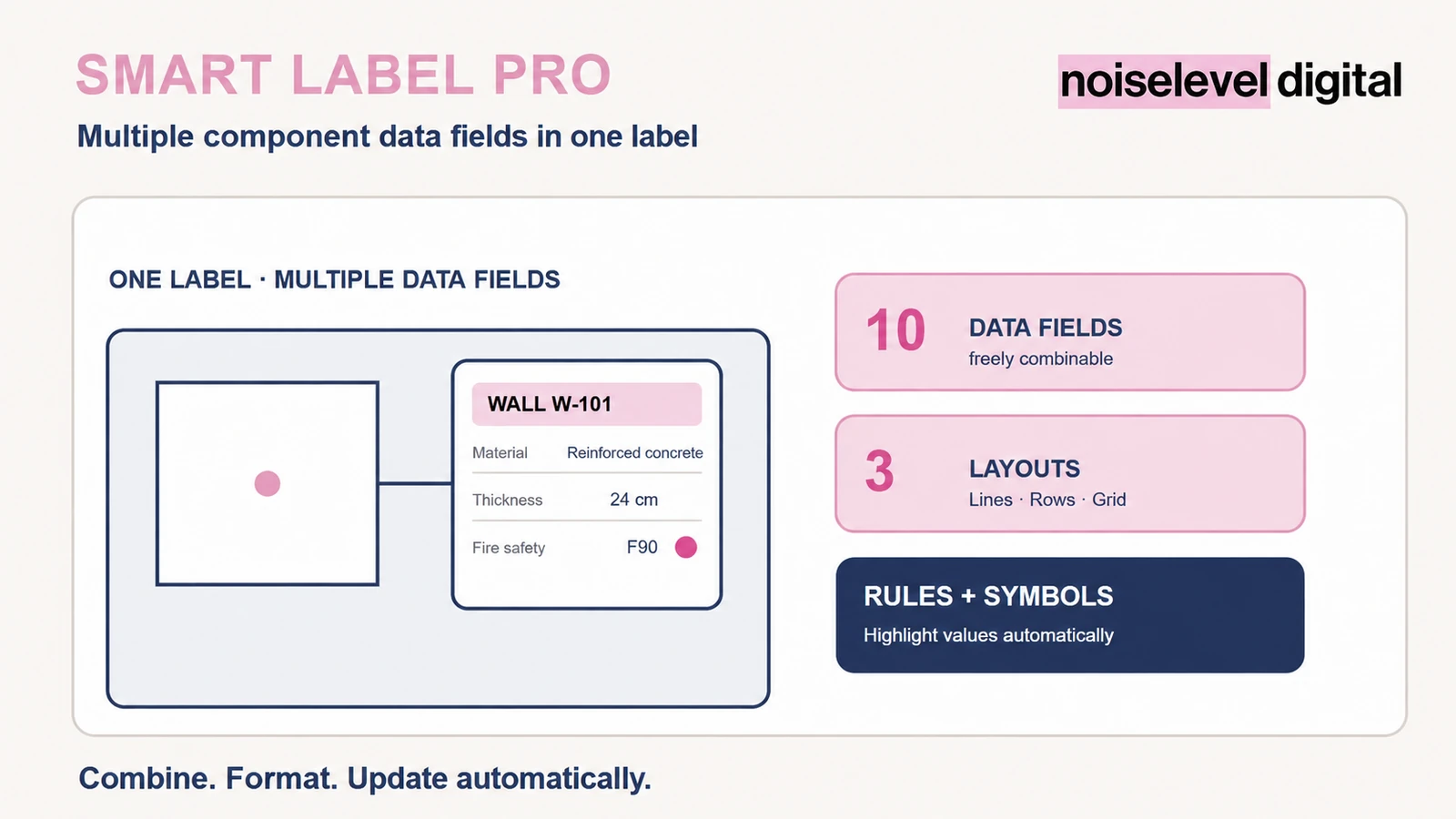
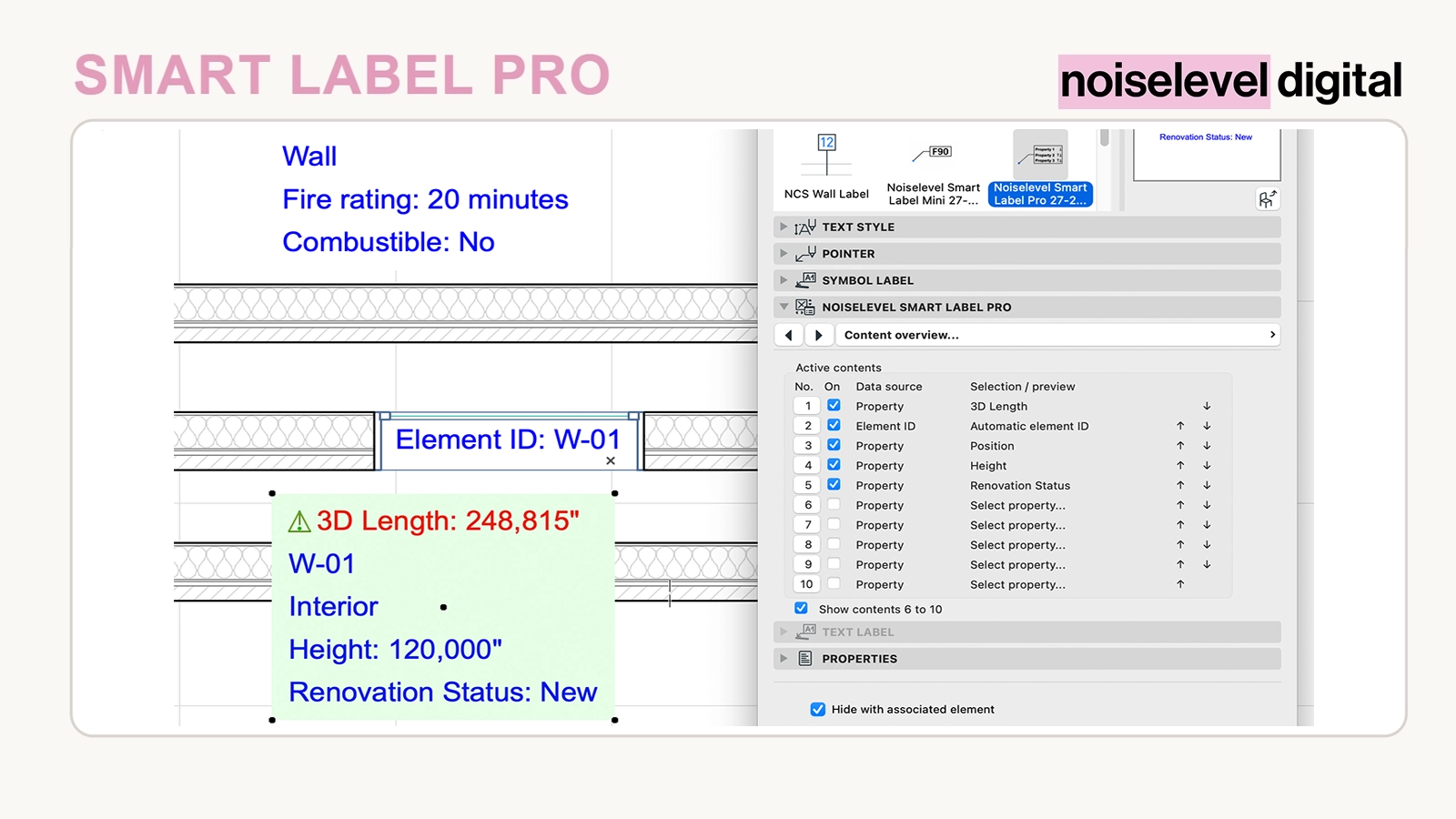
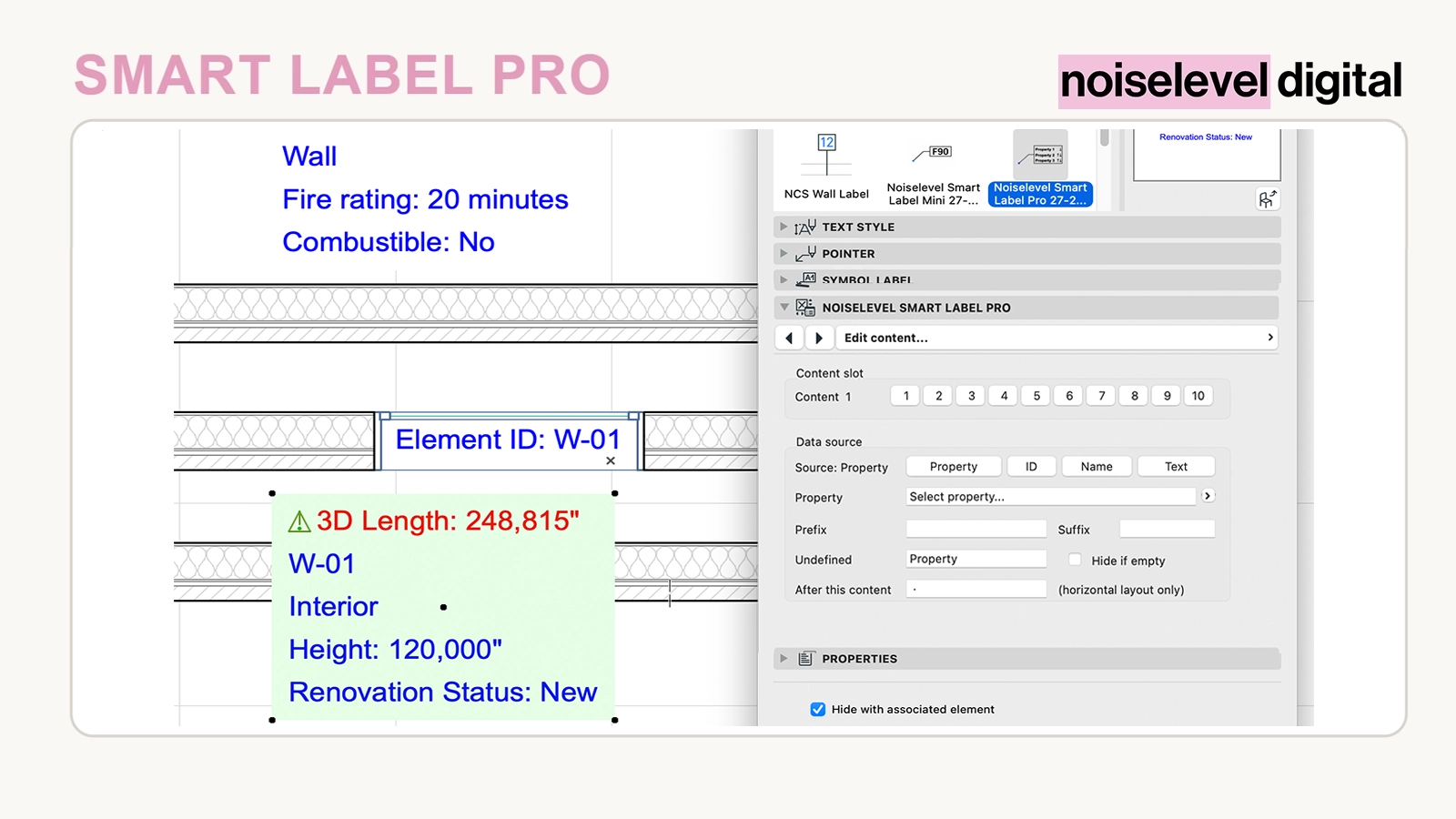
Element labels rarely consist of just one value. Smart Label Pro combines properties, element ID, element name and custom text in a single label. Each content position is configured separately and can disappear automatically if no value is available. This keeps the label compact even when different elements provide different data.
Included
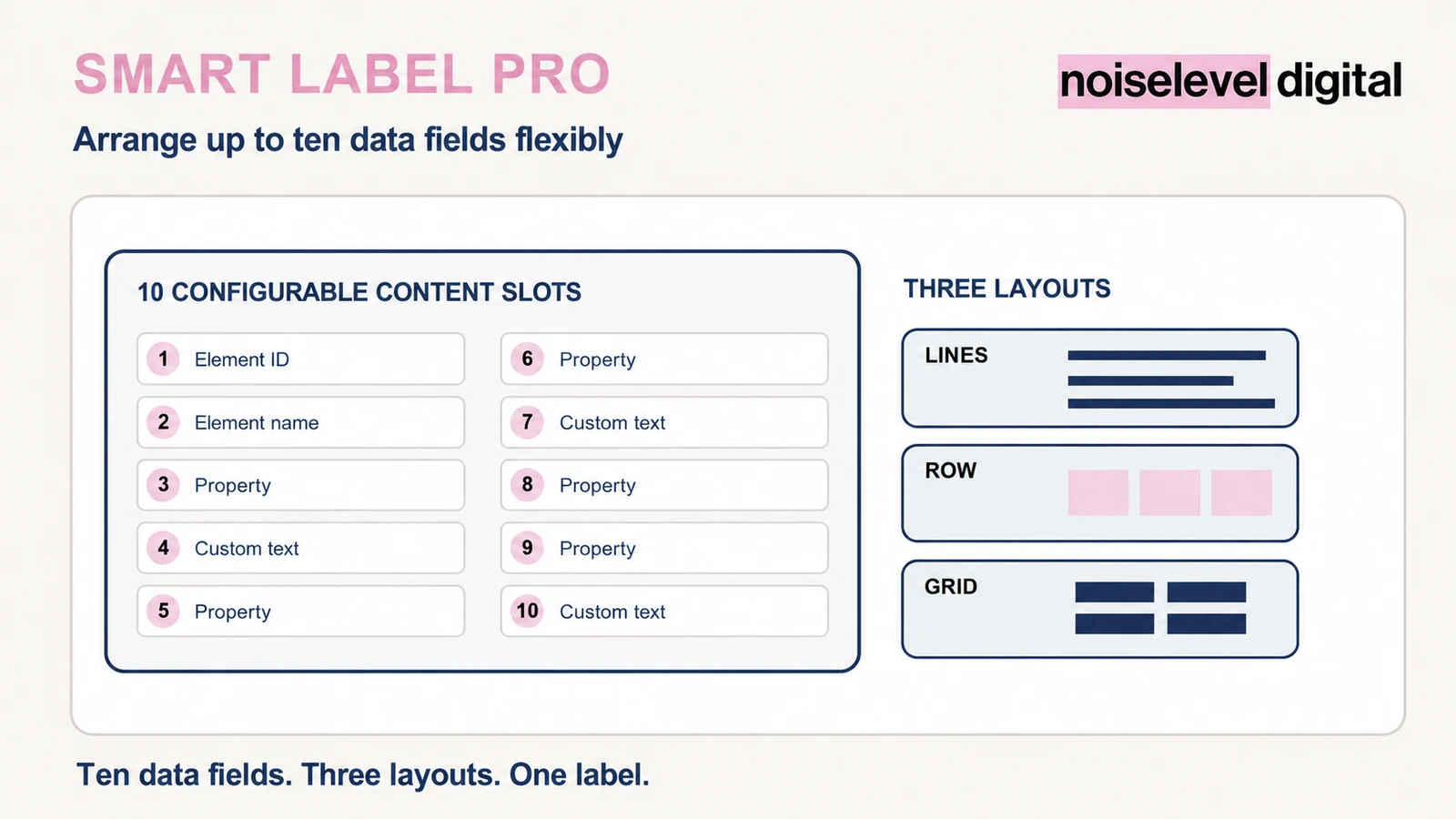
- up to ten freely configurable content positions
- data sources: property, element ID, element name or element type, and custom text
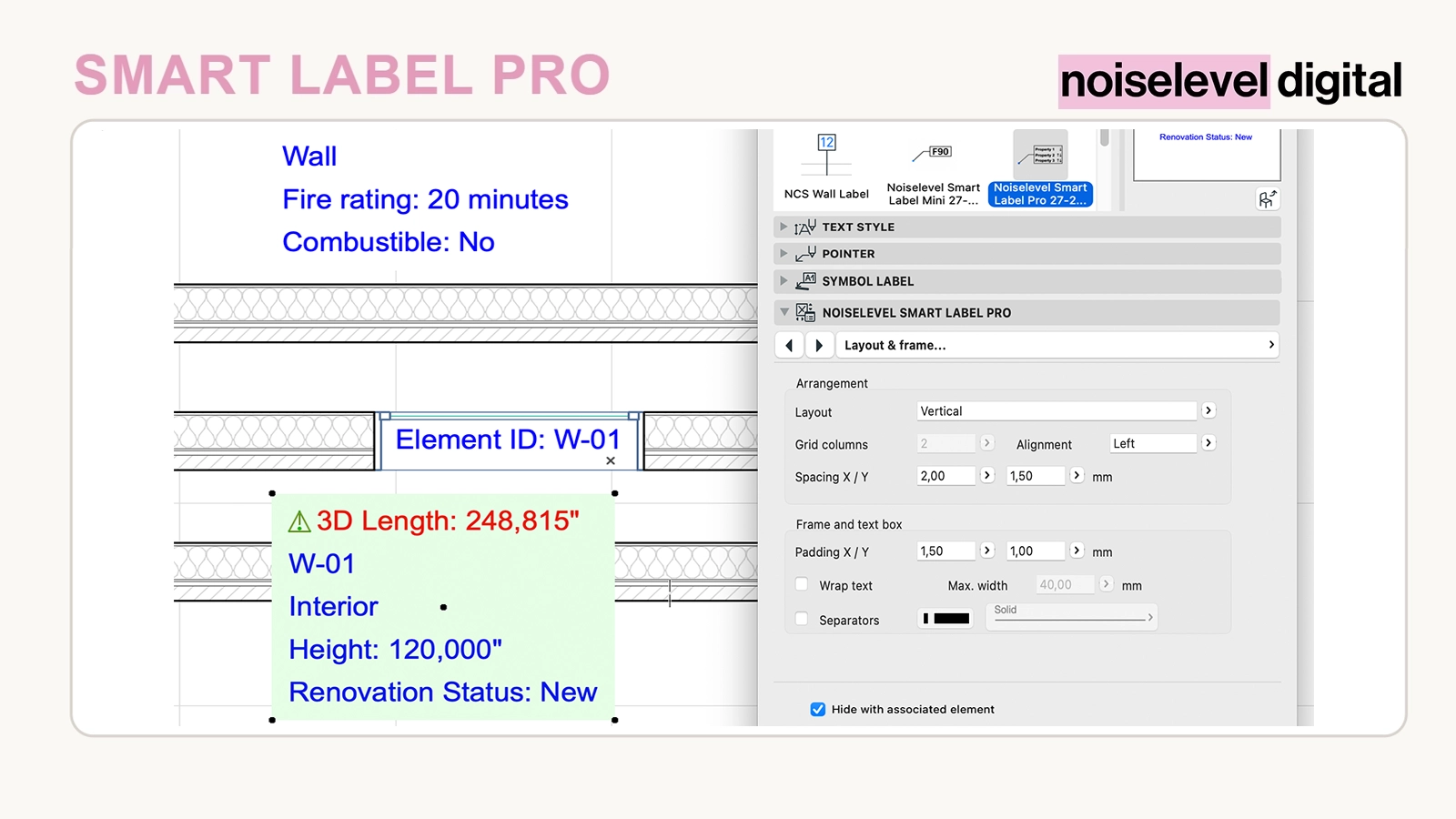
- vertical, horizontal or grid arrangement
- individual prefixes, suffixes and separators
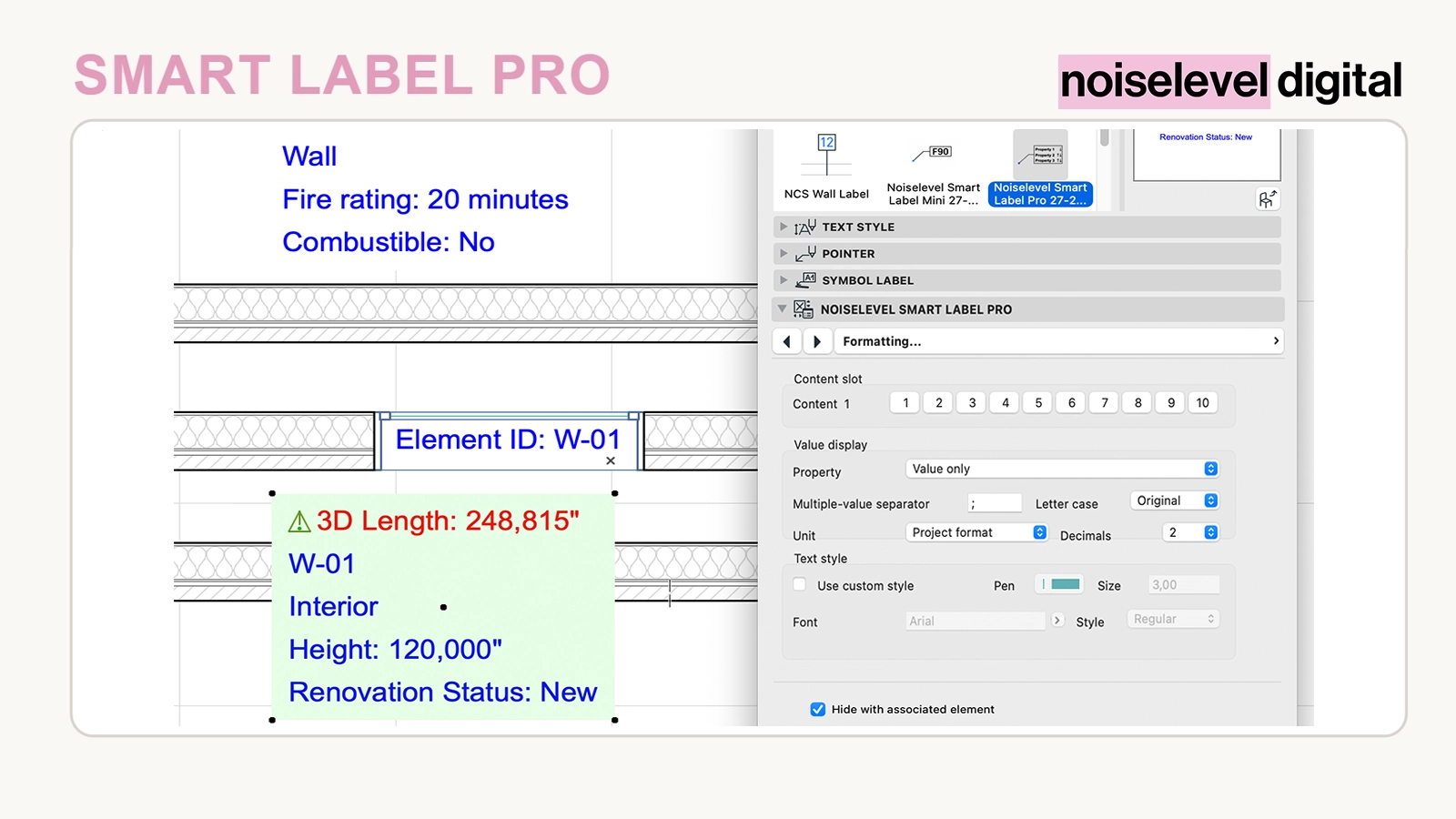
- units, decimal places and notation for each item
- individual text style for each item
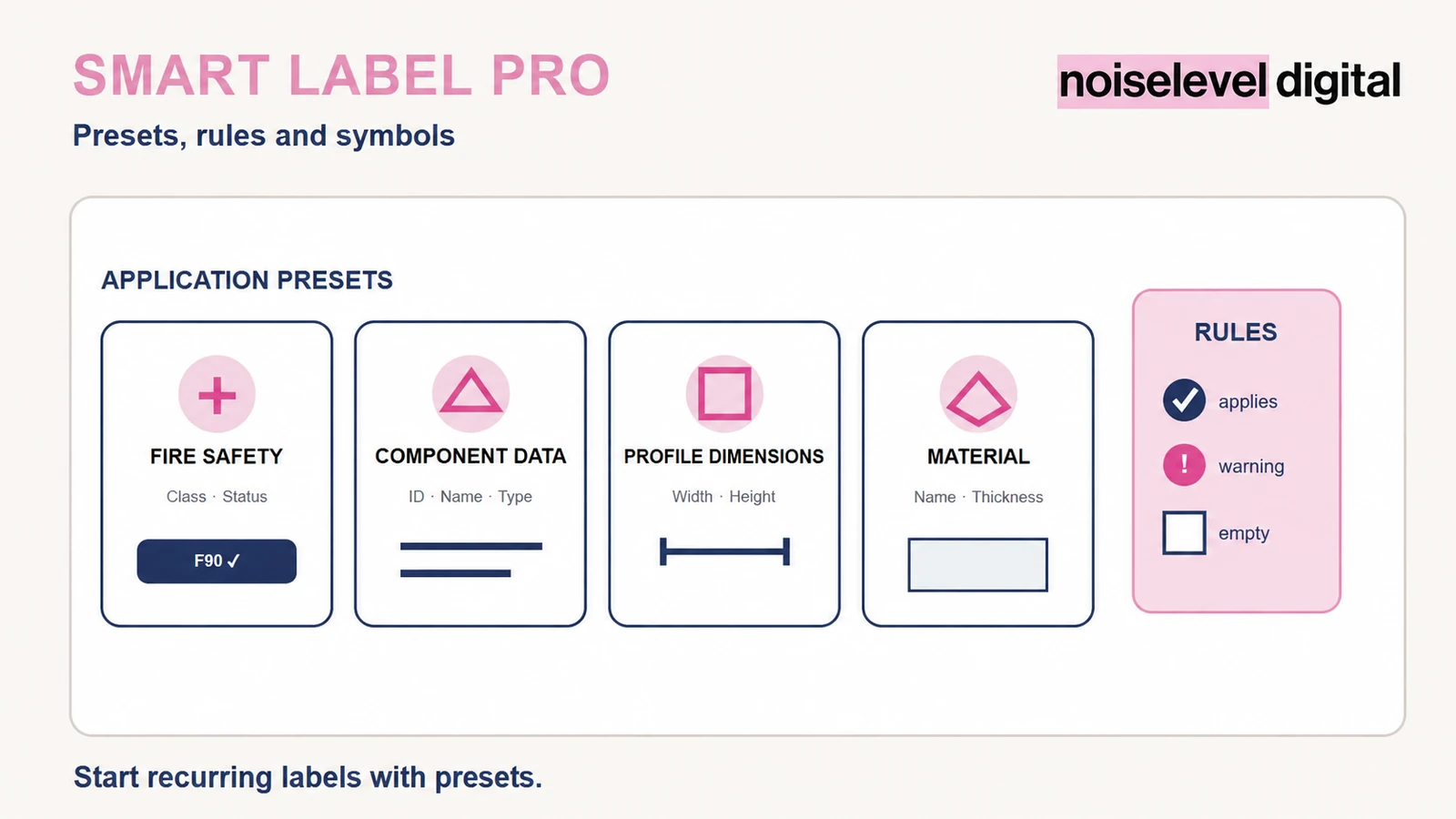
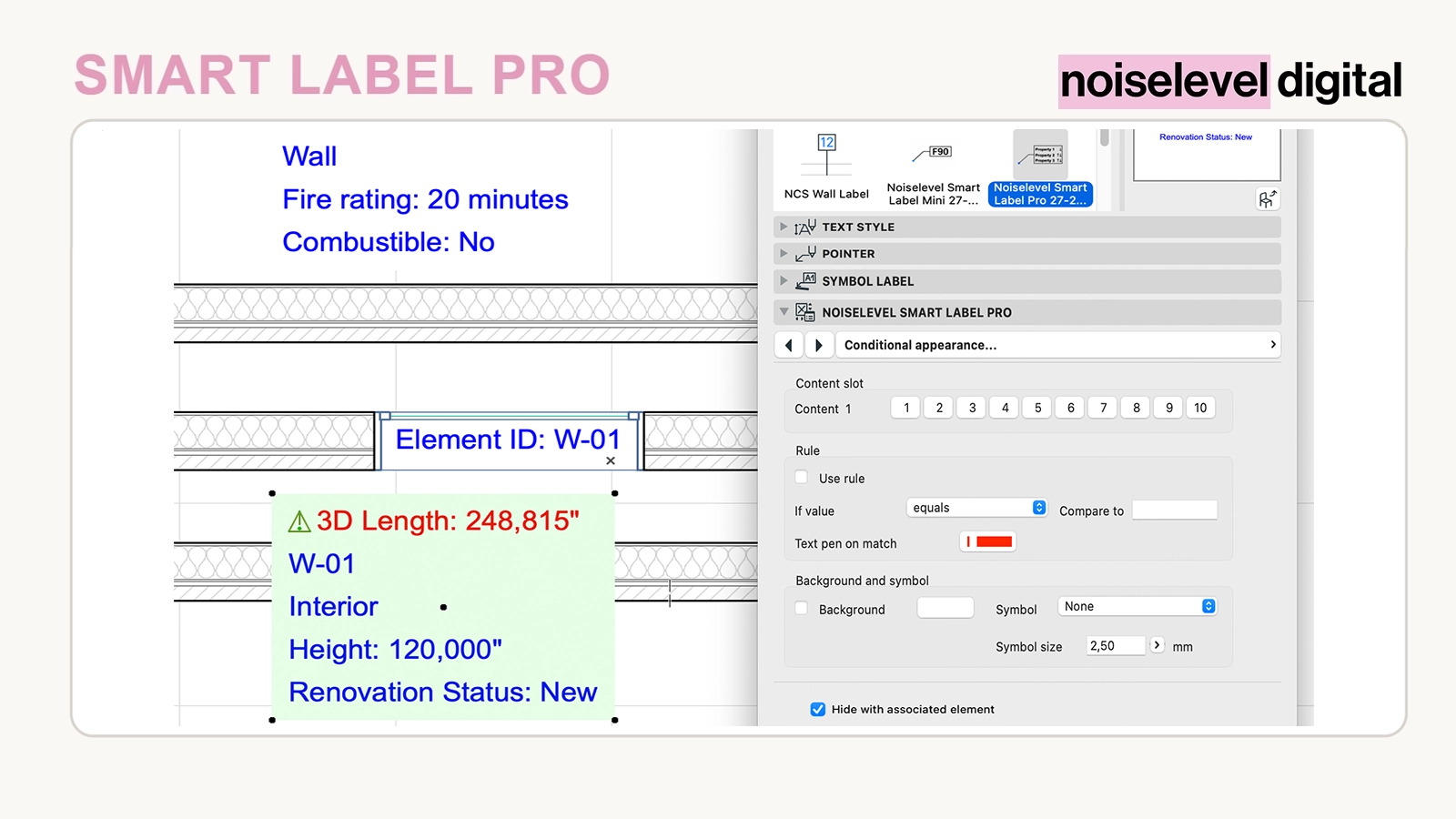
- conditional text colours, backgrounds and symbols
- application presets for fire safety, element data, profile dimensions and material information
- GSM library part for Archicad® 27–28
Build content to suit the drawing
Values can be displayed on their own or together with property and group names. Multiple values can be separated using freely chosen characters. Project formatting or units in millimetres, centimetres and metres, plus rounding from zero to four decimal places, support different display standards.
Use rules and symbols where they matter
Conditional displays respond to matches, contained text, empty values or numerical comparisons. Text colour, backgrounds and symbols such as circles, squares, triangles, check marks or warning signs can highlight relevant conditions without changing source data.
How it helps in everyday office work
- multiple element data items remain together in one label
- empty or irrelevant information disappears automatically
- prepared presets provide a starting point for recurring labelling tasks
- deviations or critical values can be highlighted
- element changes are reflected directly in the label
For architecture and planning offices
The tool is intended for offices and planning teams that want to display element data consistently in design, permit and construction drawings and standardise recurring labels.
How it works
Unzip the download, load the GSM file through the Library Manager and place the label using the Label tool. Enable the required content positions, select a data source for each and choose an arrangement. Configure the prefix, suffix, unit, text style and optional rule separately for each item.
Technical requirements
The library part was developed for Archicad® 27 and 28. Available properties and values depend on the linked element and project template. The supplied presets refer to common German-language properties; different properties can be reassigned directly.
Important notes
The tool does not generate or calculate missing element data. It reads information already available in Archicad® and displays it according to the selected configuration.
Archicad® is a registered trademark of GRAPHISOFT SE. Noiselevel Digital is not affiliated with or endorsed by GRAPHISOFT SE.